Android users in Canada who are considering 1win should take a few minutes to check the current access options, understand the risks of installing an app outside Google Play, and review the rules that apply where they live. An APK download can be convenient, but convenience should never replace basic security checks. This guide explains how to approach the process carefully and what to consider before using casino or sports betting features.
What the 1win Android APK is
An APK is an Android application package used to install software on a device. When an operator provides an APK directly rather than through Google Play, the user may need to allow installation from a browser or file manager. That setting gives the selected app permission to install packages; it does not confirm that a downloaded file is genuine or safe.
Availability can vary by location, device, and time. A page or download link that works for one person may not be available to another. Check the operator’s current official channels and local rules before proceeding. Avoid links from unsolicited messages, social media replies, unofficial download directories, or third-party sites that imitate casino branding.
Before downloading in Canada
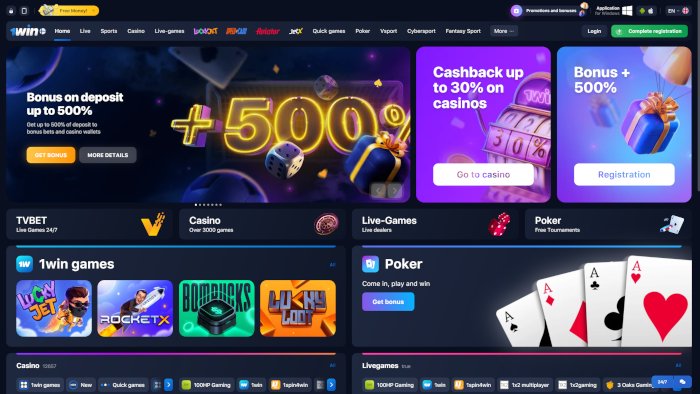
Canadian gambling regulation is not identical in every province or territory. Legal age requirements, permitted services, and the status of online gambling can differ. Confirm the rules for your province or territory and make sure you meet the applicable minimum age before creating an account or depositing money. A website being accessible does not, by itself, establish that its services are authorized for your location.
Also check the operator’s current terms, privacy information, payment conditions, and any stated licensing details. Read the rules for deposits, withdrawals, identity verification, bonuses, and account closure before committing funds. If you cannot verify who operates the service or how to contact support, do not install the app or provide personal information.
How to approach an APK installation
- Start with verification. Navigate to a source you have independently confirmed as the operator’s official site. Check the address carefully for misspellings, added words, or unusual domain endings. Do not rely on a search advertisement alone.
- Review the download information. Confirm that the page identifies the Android file and provides clear installation guidance. Be cautious if the download is bundled with unrelated apps, asks for unusual permissions, or redirects repeatedly.
- Check your device. Update Android and your security software, keep a screen lock enabled, and make sure the device has enough storage. A current operating system helps reduce exposure to known vulnerabilities.
- Download and scan. Save the file only from the verified source. Use your device’s security tools to scan it where available. A scan cannot guarantee safety, but an alert is a reason to stop and delete the file.
- Install only if you are satisfied. Android may ask you to allow installation from the browser or file manager used to download the APK. Grant access only when needed, and revoke that permission afterward in device settings.
- Review permissions and account security. An app should not need access unrelated to its purpose. Use a unique password, protect your email account, and enable additional account security if offered.
Menu names differ between Android versions and manufacturers. If the installation process asks you to disable broad security protections, install a separate “downloader,” or share credentials outside the app, stop. Do not bypass warnings just to complete an installation.
Security and privacy checks
APK files installed outside an official app store can carry greater risks than apps distributed through a store’s review process. Potential problems include altered files, fake login screens, excessive permissions, and outdated software. Even a file that appears to use familiar branding may not be authentic.
- Use a trusted security scanner and keep Android updates current.
- Do not reuse your banking, email, or other important passwords.
- Never send a password, one-time verification code, or payment details through an unsolicited chat.
- Check that the privacy policy explains what information is collected and how it is used.
- Uninstall the app if it behaves unexpectedly, displays suspicious overlays, or requests new permissions without a clear reason.
For financial safety, start with small amounts only if you have independently verified the service and decided that using it is legal for you. Review transaction limits and withdrawal requirements in advance. Keep records of deposits and account communications, and contact your bank promptly if you notice an unauthorized transaction.
What to expect after installation
If the app is legitimate and available to you, it may provide access to account features and a range of casino games or betting products. The exact selection, interface, and payment options can change. Do not assume that a feature shown in advertising is available in every Canadian province or on every device.
Before depositing, explore the account area and read the cashier’s instructions. Check which payment methods are supported for Canadian users, whether fees apply, what verification documents may be requested, and how long withdrawals normally take according to the published terms. Never deposit money you need for rent, bills, food, or other essential expenses.
Responsible play and bonus terms
Casino games involve financial risk, and outcomes are uncertain. A bonus does not guarantee a win or make a game profitable. If you choose to play, set a spending limit before starting and treat the money as an entertainment expense that you may lose in full. Avoid chasing losses, borrowing to gamble, or playing when distressed or under the influence.
Read bonus conditions closely. Wagering requirements, eligible games, time limits, maximum bet rules, and withdrawal restrictions can affect whether bonus funds or winnings can be withdrawn. If any condition is unclear, ask support for a written explanation before accepting the offer. You can also decline promotions and use account limits or self-exclusion tools if they are available.
Questions and answers
Is downloading an APK automatically safe?
No. APK is a file format, not a safety certification. Risk depends on the file’s source, whether it has been altered, the permissions it requests, and your device’s security. Use only a source you can verify and do not ignore security warnings.
Why might Android block the installation?
Android may block apps from unknown sources as a protective measure. If you have verified the source and still choose to proceed, the system may let you grant temporary installation permission to the specific browser or file manager. Avoid disabling protections globally, and revoke temporary permission afterward.
Can every Canadian player use the app?
Not necessarily. Access and legal requirements may depend on province or territory, age, and the operator’s current availability. Check local regulations and the operator’s terms for your location before registering.
What if the app does not install or open?
Do not download replacement files from random websites. Check that your Android version is supported, your device has available storage, and the file came from a verified source. If the problem continues, contact support through a channel you have independently confirmed, or remove the file.
Final checklist
- Confirm local age and online gambling rules.
- Verify the operator and download address independently.
- Review permissions, privacy terms, payment rules, and bonus conditions.
- Keep device security enabled and use a unique password.
- Set a firm spending limit and stop if gambling is causing harm.
For Canadian Android users, the safest decision may be not to install an APK if the source, legal status, or operator details cannot be confirmed. If you do proceed, take a cautious, step-by-step approach and protect both your device and your finances.
CA 1WinCanada1 Official Site

